Transfection Assay (Beta*)
The Transfection Assay allows users to quantify transfection efficiency, particularly when fluorescent markers are used to identify successfully transfected cells. Efficiency is determined by calculating the ratio of the fluorescent area to the total cell area.
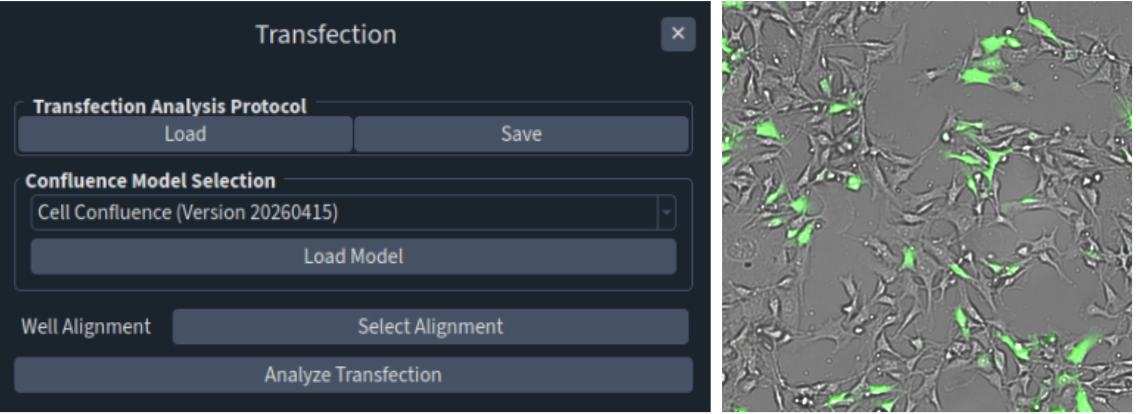
Step |
Function |
|---|---|
1 |
Open an acquired dataset in the MCAM™ Viewersoftware. *The image dataset has to be taken in bright-field and 1 fluorescence (DAPI, GFP, or tdTom/mCherry) channels. |
2 |
Navigate to Assays > Transfection. A panel will open on the right. |
3 |
Select the appropriate Confluence model. |
4 |
(Optional) Load a Well Alignment file for quantitative output on a per-well basis. |
5 |
Click “Analyze Transfection” to calculate transfection efficiency. |
6 |
The results are saved in a folder named “transfection_analysis_results” in the provided dataset’s folder with a csv file summarizing the transfection efficiency (%) on a per field of view or per well basis and a metadata file containing the analysis results. Masks representing identified cell area in the bright-field channel and fluorescence area can be toggled on and off in Advanced > “Show Confluence Masks” or “Show Threshold Masks”. |
*Available to select users upon request. Please talk to Ramona’s representatives.