

Diffuser Riser for Zebrafish Morphology and Segmentation
The Diffuser Riser is designed to optimize imaging conditions when running experiments in Screening mode on the Kestrel. The diffuser riser provides uniform light distribution across the wells, ensuring clear and consistent image capture and was designed to be used in Screening mode. This setup supports the screening and morphology analyses.
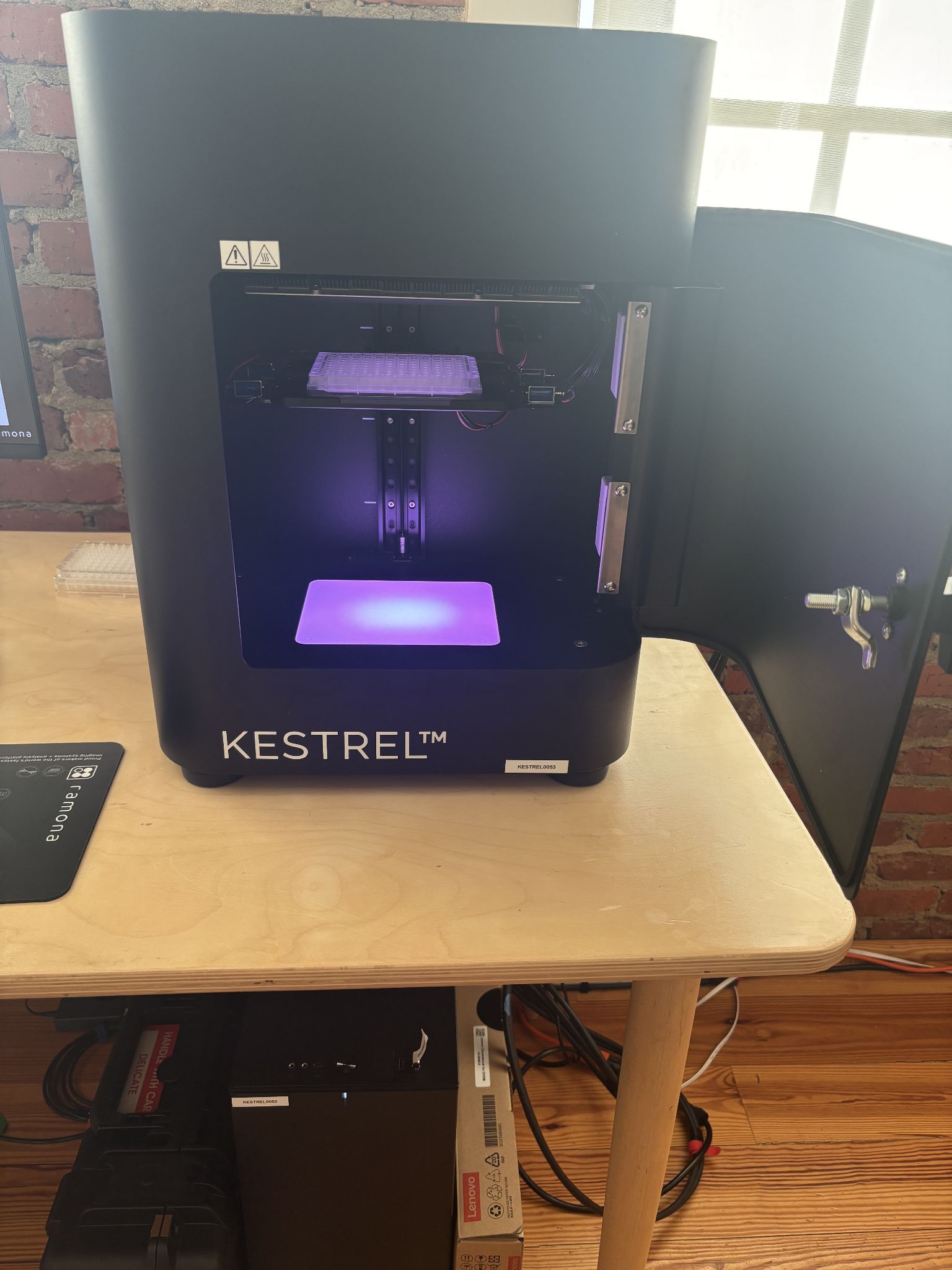
Figure on the left shows the Kestrel without the riser. Figure on the right shows the Kestrel with the riser (white arrow).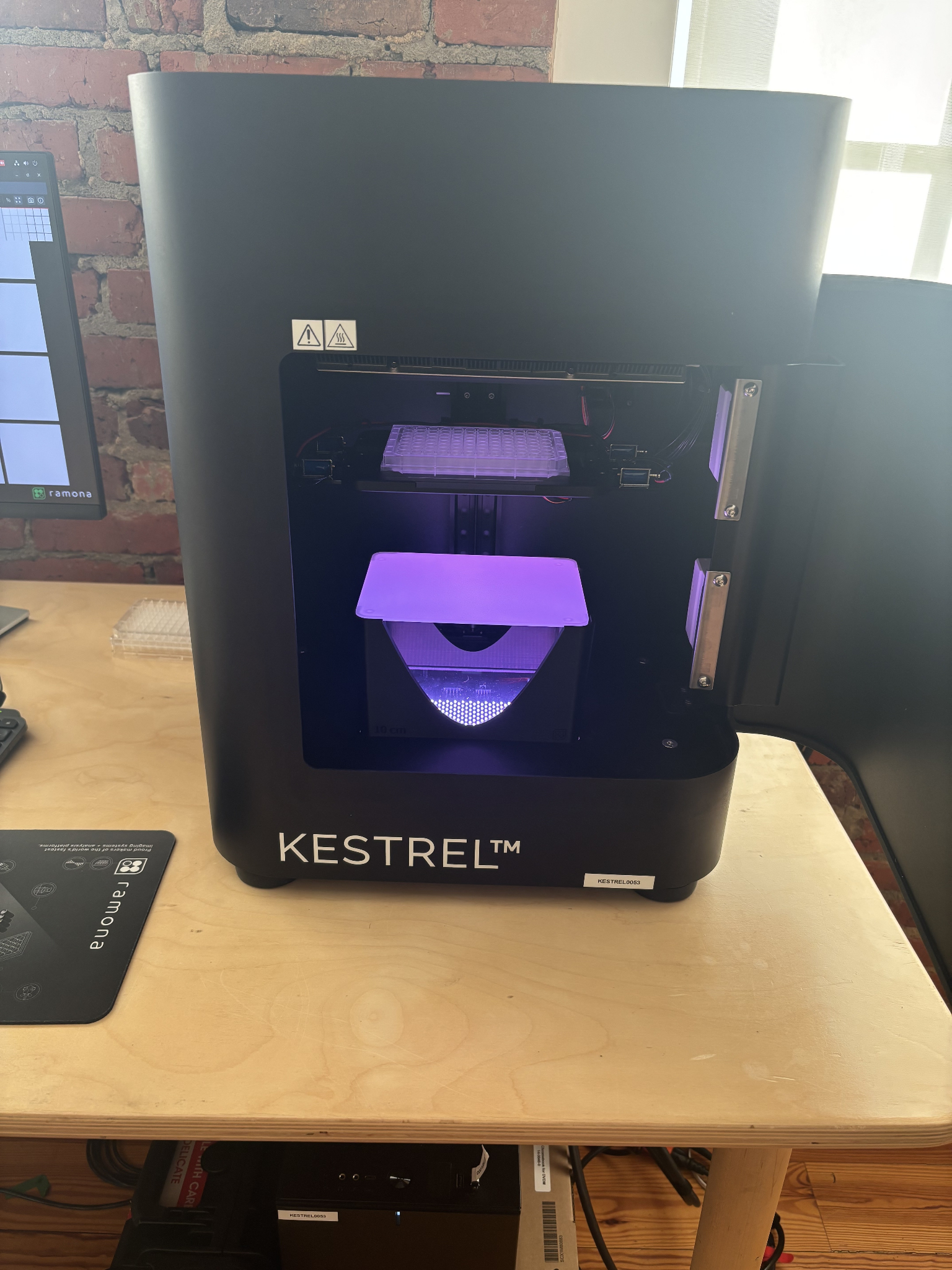
Step |
Function |
|---|---|
1 |
Ensure that the fluorescence units are taken out of the system (Fluorescence units will give a yellowish tint to the BF illumination in screening mode) |
2 |
Open the MCAM software. |
3 |
Switch the cameras to screening mode, move the stage into the focal plane of the screening mode cameras. |
4 |
Take out the diffuser, place the riser over the LEDs and place the diffuser on the riser (see image above). |
5 |
Acquire an image. |
The Diffuser Riser is recommended for experiments focused on morphology studies, particularly for research groups intending to use the collected images in their own analyses. It ensures even illumination and consistent image quality, which is critical for accurate morphological assessment. Note: The diffuser riser must be removed after each imaging session, as leaving it in place can cause the stage to get stuck during stage rehoming when starting up the MCAM.