

Activity Metric
Activity metric analysis provides a rapid method for computing movement in a video. This is accomplished by subtracting each pair of adjacent frames in a video to quantify pixel change. All pixels are treated equally so while total movement is measured over time, we cannot determine “how” something within a frame moves.
Step |
Function |
|---|---|
1 |
Open the MCAM Viewer and click the Open Dataset button. Click into the dataset of interest, then click Open in the popup to open dataset in MCAM Viewer |
2 |
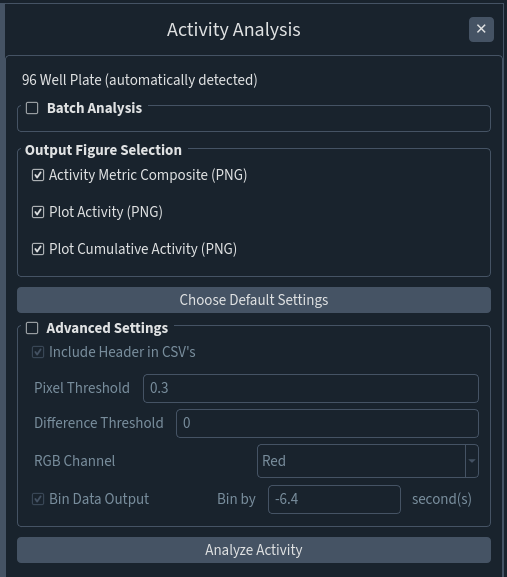
Go to Assays > Activity Analysis to open the Activity Analysispanel. Well plate configuration (24-, 48-, or 96-well) will be automatically detected by MCAM Viewer. |
3 |
All Activity Analysis Outputs (described in MCAM Viewer Activity Metric Analysis) are generated by default. If not all are necessary, uncheck the box pertaining to the output you wish not to generate. |
4 |
The features found within Advanced Settings are also activated by default. Click on Advanced Settings if there are any changes that need to be made / any features that you want turned off. |
5 |
Click Analyze Activity to generate Activity Analysis Outputs |